Rebuilding the Most-Starred Astra Game’s Asset Chain: Exact to 72,234 Vertices, Stuck at the Tetrahedra
Jelly Baby simulates only 980 particles and 4,026 tetrahedra; its 72,234-vertex mesh is a skin bound to that cage. Reproducing the chain in headless Blender hits the vertex and triangle counts exactly and binds all 72,234 vertices with zero misses, but Blender has no tetrahedraliser — a voxel workaround reaches 1,033 nodes and 3,984 tets against the original 980 and 4,026. Includes the browser port at 3.1 ms physics per frame and five Blender traps that cost real time.
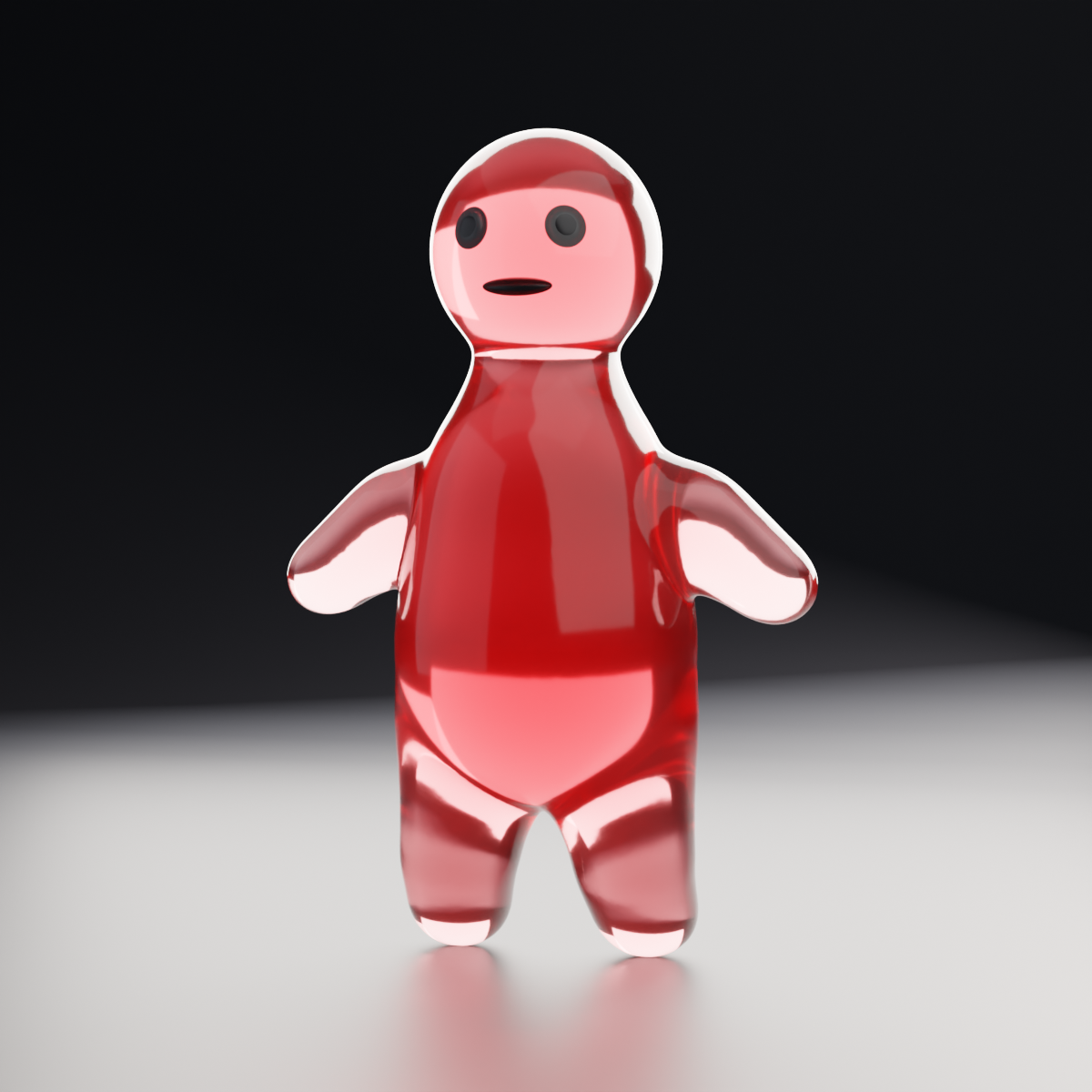
TL;DR — Jelly Baby is the most-starred game in the GPT-6 Astra catalogue, and what makes it work is not its physics but its asset chain. I decoded its preloaded data, then rebuilt the chain in headless Blender and shipped it to the browser. The surface mesh reproduces exactly — 72,234 vertices and 144,464 triangles. Binding a 980-vertex cage to it works, with every one of the 72,234 vertices following. The one thing that does not reproduce is the tetrahedral cage: Blender has no tetrahedraliser, and a voxel workaround lands at 1,033 nodes / 3,984 tets against the original’s 980 / 4,026 — close, not equal.
Follow-up to the five most-starred Astra games and twelve new ones in a day. Rig: Blender 5.1.2 headless, blender --background --python, RTX 5080 / 16 GB, Windows.
What the original actually ships
The page preloads a base64 JSON manifest describing every buffer. Decoding it gives the whole pipeline without reading a line of the game’s code:
| Buffer | Length | Means |
|---|---|---|
| positions / normals | 216,702 | 72,234 render vertices |
| indices | 433,392 | 144,464 triangles |
| particles | 2,940 | 980 simulated points |
| tets / volumes | 16,104 / 4,026 | 4,026 tetrahedra |
| bindingIds / bindingWeights | 288,936 each | 72,234 × 4 barycentric |
| opticalPositions | 30,270 | a second 10,090-vertex mesh |
| thicknessIds / Weights | 216,702 each | a thickness field |
The simulation is tiny. 980 particles and 4,026 tets — smaller than most cloth demos. The 72,234-vertex mesh is not simulated at all; it is a skin bound to that cage with four barycentric weights per vertex.
That reframes the whole thing. The hard part was never the solver.
Reproducing the surface mesh: exact
Metaballs → voxel remesh → triangulate → decimate, with the decimate ratio set to target ÷ current:
render_verts = 72234
render_tris  = 144464
Character-for-character the original’s numbers. Not approximately — the decimate modifier hits an exact vertex target if you compute the ratio rather than guess it.
Binding: works, and it is the part that surprised me
A coarse remesh of the same mesh gives a 980-vertex cage. Blender’s Surface Deform modifier (bpy.ops.object.surfacedeform_bind) binds the dense mesh to it:
cage_verts = 980
bound      = True
moved      = 72234/72234
maxdelta   = 0.7532
Deform the cage and all 72,234 vertices follow, maximum displacement 0.75 units. No stray vertices, no binding misses. This is the step I expected to fight and did not.
Where it breaks: Blender has no tetrahedraliser
This is the wall. Blender can remesh, decimate and bind, but it cannot fill a closed surface with tetrahedra. There is no operator and no built-in module.
The workaround is a voxel lattice decomposition — cut the interior into cubes, split each cube into tetrahedra, snap the boundary. Two variants measured:
| Approach | Nodes | Tets | Tets/node |
|---|---|---|---|
| Interior cells only, 5-tet split | 904 | 2,510 | 3.3 |
| Boundary cells + surface snap, 6-tet Kuhn | 1,033 | 3,984 | 3.86 |
| Original | 980 | 4,026 | 4.11 |
Close enough to be usable, not close enough to be the same. The gap is structural: a voxel lattice produces axis-aligned tets that do not conform to the surface, where a real tetrahedraliser fits them to it. Matching the original needs TetGen or fTetWild — an external dependency, which is exactly what the original avoided having in its browser bundle.
Shipping it to the browser
The export carries three levels of detail bound to the same cage:
cage        1,033 nodes · 3,984 tets · h = 0.175
full mesh   72,234 v · 144,464 tri
lod mesh    12,001 v ·  23,998 tri
face mesh    1,098 v ·   2,184 tri
binding misses: 0
Runtime is three.js 0.152.2 (UMD) with an XPBD solver — 12 substeps, volume constraints stiff, edge constraints soft. Skinning is barycentric; normals come from the cofactor of each tet’s deformation gradient rather than being recomputed per frame.
physics   3.1 ms / frame
skinning  0.3 ms / frame
A 980-particle solve is cheap. That is the point of the whole architecture: put the cost in the offline asset chain, keep the runtime trivial.
Five things that cost me time
1. render.engine lies about what is available. The enum lists only BLENDER_EEVEE, but assigning = "CYCLES" works fine. Do not probe the enum to decide whether an engine exists.
2. A metaball’s element.radius is an influence radius, not a surface. The actual surface sits at roughly half of it. Placing eyes and a mouth by arithmetic puts them inside the body. Raycast onto the evaluated mesh with BVHTree.FromObject instead.
3. An area light near the floor makes a hard-edged pool of light. At 2 m height and 5 m size the falloff reads as a stage spot. Raise it. Also set obj.visible_camera = False so the lamp itself does not appear.

4. A cyclorama built from two enormous polygons shows its triangulation. The diagonal seam appears in the shading. Subdivide it — forty segments across X was enough.
5. Translucent material wants backlight, not key light. Roughly 80% of what makes the jelly read as jelly is the rim. Principled with Transmission 1.0 and IOR 1.45, plus Volume Absorption at density 4.2 and Volume Scatter at 0.18.

Tone mapping mattered more than expected
This Blender build ships AgX with its Look set to NONE only, which washes the colour out. Three renders of the identical scene:
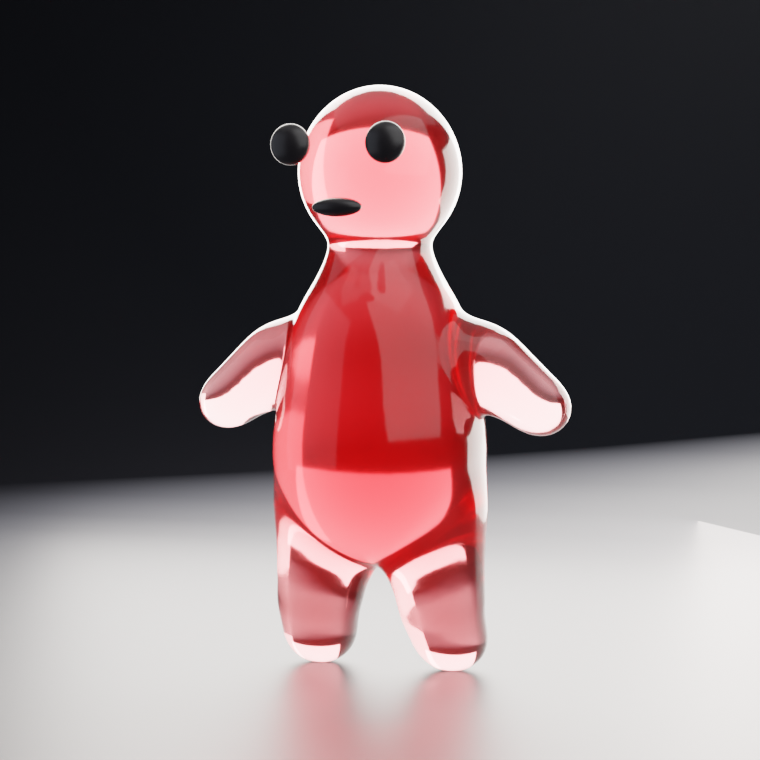
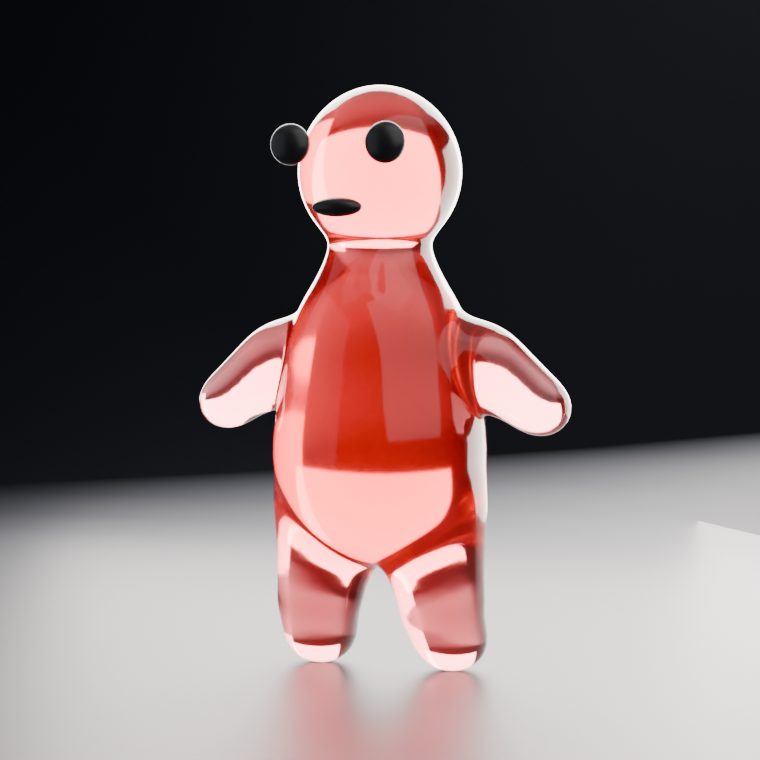
Filmic kept the colour. AgX drained it. Standard clipped the highlights on the transmission. For a translucent subject on this build, Filmic is the one.
A useful diagnostic: if a low-albedo material renders grey, suspect the exposure before the shader. Being pushed up the Filmic curve looks exactly like a wrong base colour. Exposure between −1.3 and −1.9 was the working range here.
What still is not reproduced
- The optical mesh — the original’s separate 10,090-vertex surface for the translucency pass.
- The thickness field — two buffers of 216,702 each, which is what lets light fall off correctly through the body.
- An exact tet cage — blocked on the tetrahedraliser above.
What this says about the original
Astra’s reported output for Jelly Baby is a Three.js/WebGPU game its creator attributes to the model. Nothing here contradicts that. What the reproduction shows is where the difficulty actually sits: not in writing a soft-body solver, which is a few hundred lines over 980 particles, but in producing a dense mesh, a conforming tet cage, barycentric bindings, a second optical mesh and a thickness field — and then getting all five to agree.
Four of those five reproduce with nothing but a headless Blender and a script. The fifth needs a dependency nobody ships in a browser bundle.
All figures measured on this machine: mesh and binding counts from the pipeline script’s own output, cage counts from the exported runtime data, frame timings from the browser build. Original buffer sizes decoded from the published game’s preloaded manifest. Renders are Cycles, CPU, 640² at 128 samples.
← Back to all posts