DLSS 5 Autopilot Guide: Install, Configure, One-Click Restore
Evergreen autopilot-style how-to: install DLSS 5 Neural Rendering with Swapper or Manager, configure overlay, one-click restore. GitHub-only downloads, single-player anti-cheat rule.
TL;DR — “DLSS 5 Autopilot” in community search usually means a one-click library installer (DLSS 5 Swapper or DLSS 5 Manager): scan games → install Neural Rendering route → configure overlay → Restore originals when something breaks. Pick one tool, download only from GitHub, use single-player only, and always confirm the restore button works before you experiment. Official in-game Neural Rendering (when a title ships it) still beats injectors.
This is the practical install → configure → restore loop. For which tool to pick, see Swapper vs Manager vs OptiScaler. For path ordering including Pre-SR, see Apply Paths Today.
Autopilot stack at a glance
| Piece | Role |
|---|---|
| DLSS 5 Swapper | MIT-tagged library manager: Feeder / OptiScaler / Multipass routes + backups (GitHub Releases) |
| DLSS 5 Manager | Community one-click UI (Live Flow / languages) (GitHub Releases) |
| Overlay | In-game Neural Rendering toggles (Insert / F8 / Home depending on route) |
| Restore | Returns original DLLs / removes injectors — your safety brake |
Never install Swapper and Manager into the same game.
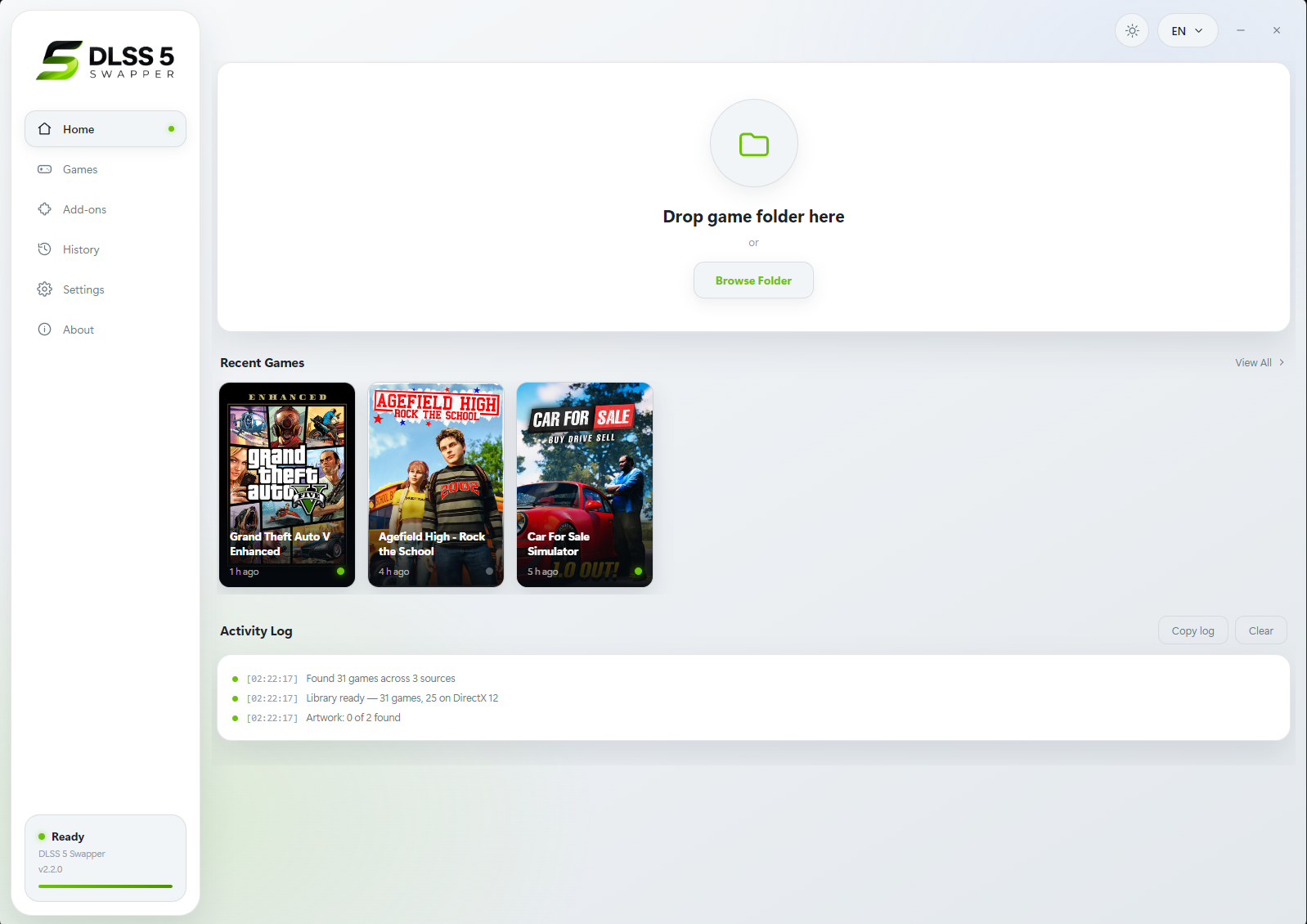
Swapper Home — library / drop folder / activity log. Source: rakanki911/DLSS5-Swapper screenshots

Manager Games grid after a Steam library scan. Source: Univers-simu Manager guide
Install (one-click)
| Step | Action |
|---|---|
| 1 | Download installer or portable build from GitHub Releases only. Verify SHA256 when the project ships checksums. |
| 2 | Run the app. Allow SmartScreen if you trust the GitHub asset (unsigned apps may warn). |
| 3 | Let it scan Steam / Epic / GOG / Xbox folders. Add a game manually if needed. Full-drive scan stays off unless you want it. |
| 4 | Close the game completely (check Task Manager for leftover processes). |
| 5 | Select the title → choose the API / route that matches the game (PCGamingWiki helps when unsure). |
| 6 | Click Install. Wait for backup + deploy log. Do not interrupt mid-write. |
Configure (overlay)
| Tool / route | Common controls | Tip |
|---|---|---|
| Swapper + ReShade / Feeder | Home (ReShade); F8 Swapper panel on supported builds | Confirm Neural Rendering add-on is active |
| Manager | Insert (classic); remappable in 1.3.x | Enable NR; try Pre-SR-style options only after a stable baseline |
| OptiScaler route | Insert / Alt+Insert | Page Up/Down for perf overlay on some builds |
Start conservative: NR on, default intensity, one model pass. Raise multipass later. Driver caveats on some RenoDX/Feeder paths are community-measured — test yourself (Swapper how-to).

Manager install modal with API pills and overlay options. Source: Univers-simu guide
One-click restore (do this early)
Practice restore before you care about a save:
| Step | Action |
|---|---|
| 1 | Close the game. |
| 2 | In Swapper/Manager, select the title → Restore originals / Uninstall. |
| 3 | Confirm files returned (no leftover unexpected dxgi.dll / ReShade if you did not want them). |
| 4 | Launch once to verify a clean boot. |
| 5 | Restore again before online play, patches, or GPU driver experiments. |
If the UI restore fails, see DLSS Swap Broke My Game: Restore Original DLLs.
Safety rules
| Rule | Why |
|---|---|
| GitHub only | Fake “DLSS Autopilot / Manager” download sites ship malware |
| Single-player only | Injectors can crash or ban under VAC / EAC / BattlEye |
| One tool per game | Dual install = DLL/ReShade conflicts |
| Official toggle first | When a title ships Neural Rendering natively, prefer it |
FAQ
Is this NVIDIA Autopilot?
No. Community one-click installers automate mod routes. NVIDIA’s official path is in-game Neural Rendering on supported titles/GPUs.
Swapper or Manager for autopilot?
Either. Swapper for route docs/checksums; Manager for FMKorea-style UI. Details: tool compare.
Sources
- rakanki911/DLSS5-Swapper · dlss5swapper.org/guides
- NODIX-TECH/DLSS-5-MANAGER
- Univers-simu Manager guide
- Terapep: Apply paths · Tool compare · Swapper how-to
Screenshots: Swapper GitHub raw UI; Manager Univers-simu guide captures — not NVIDIA promo pairs.
← Back to all posts